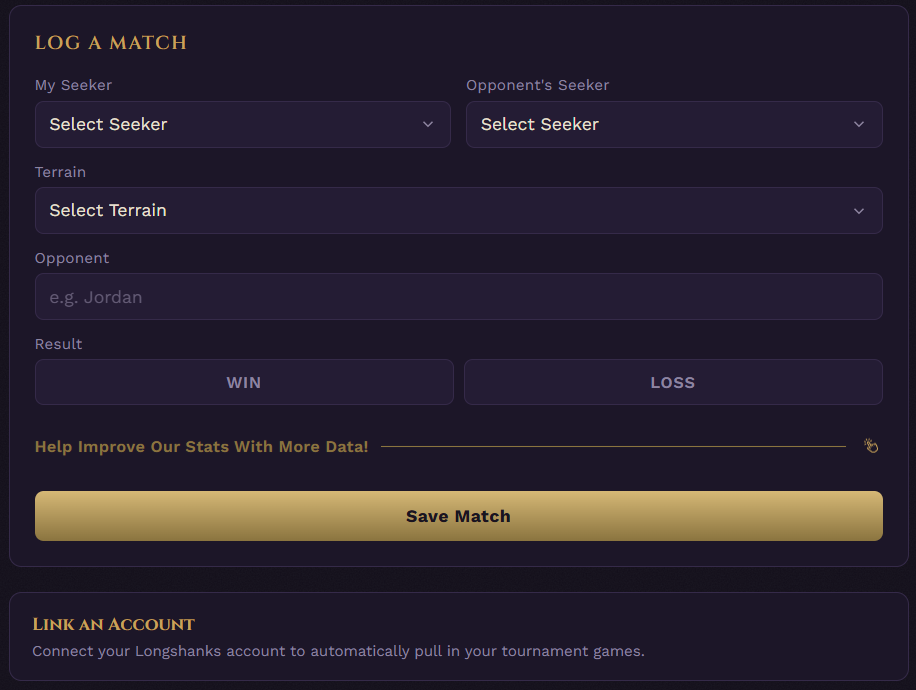
If you have played in a tournament that used Longshanks, you can now link your Malediction Stats account to your Longshanks account. This will automatically pull tournament games and link them to your account.
Here's exactly how it works, step by step instructions, plus answers to the questions people usually have once they start using it.
Once matched Malediction Stats will compare every tournament result on Longshanks where your username shows up and add it to your Tournament History, right alongside your regular Match History.
Those games will appear on your Tracker page, Player Profile and can be used to compare stats on the Meta page.
There are two places to get started:
On the Tracker page, below the Log a Match box, you'll see a Link an Account prompt. (This disappears after you open the page 5 times)
On your Player Profile page, under the Linked Accounts section, there's a Link an Account button. This is always available here.
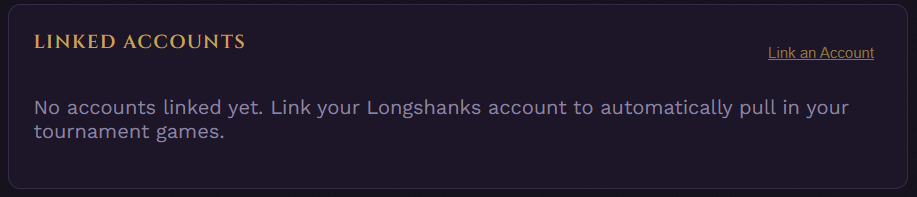
Either one opens the same window.
A window pops up asking for two things:
Account Type - right now this is just Longshanks, but more platforms will be added here over time.
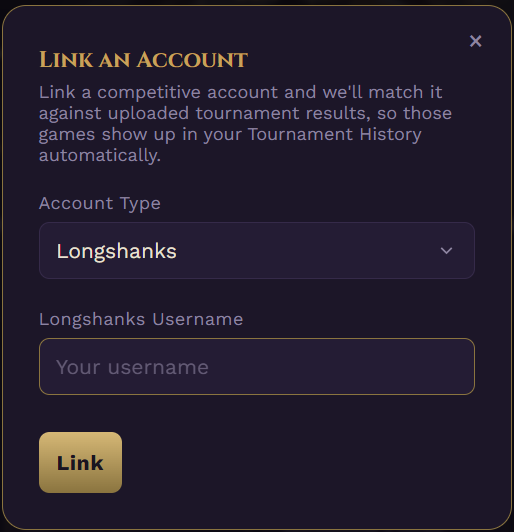
Your Longshanks Display Name - type in your Longshanks Display Name exactly as it appears on your Longshanks Dashboard.
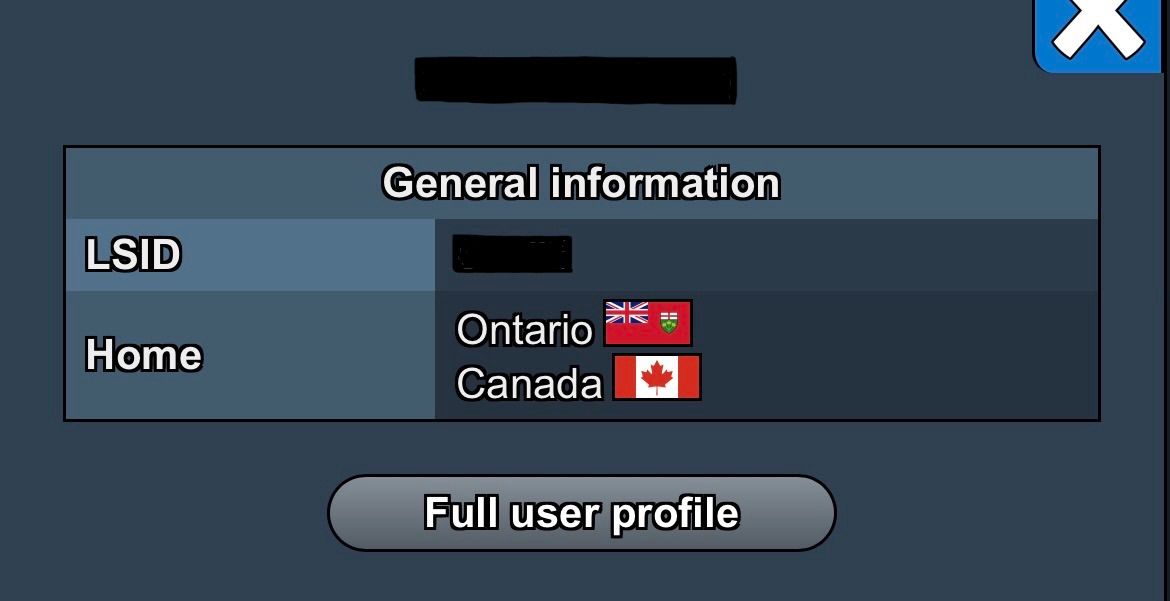
Note! - The Display Name must be entered exactly as it appears on the dashboard. If it returns 0 games found and you know you have participated in tournaments it is probably not entered correctly.
Click Link.
Once you click Link, you'll immediately get a message stating the number of games found.
"Success — X games found for [username] so far", this tells you how many tournament results already on file match your username.
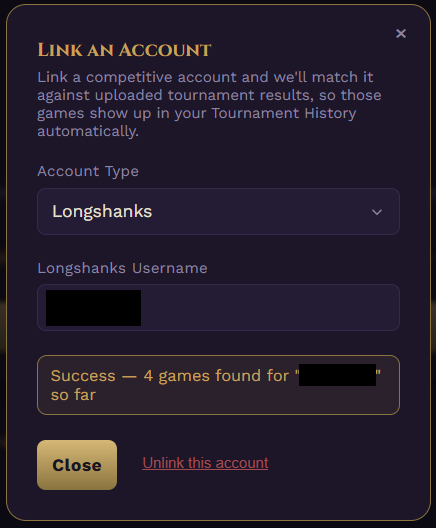
If nothing matches yet, you'll see a message asking you to double-check the spelling. Zero results doesn't mean linking failed, it usually just means there's no tournament data for that exact username uploaded yet.
Either way, your account is now linked. Any tournament results uploaded after this point that match your username will show up automatically, you don't need to relink or do anything else for future tournaments.
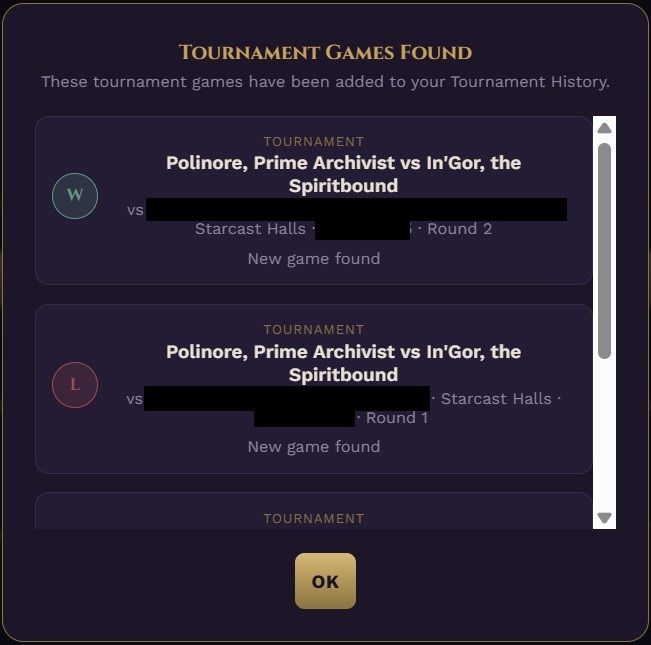
If tournament games were found it will show them to you.
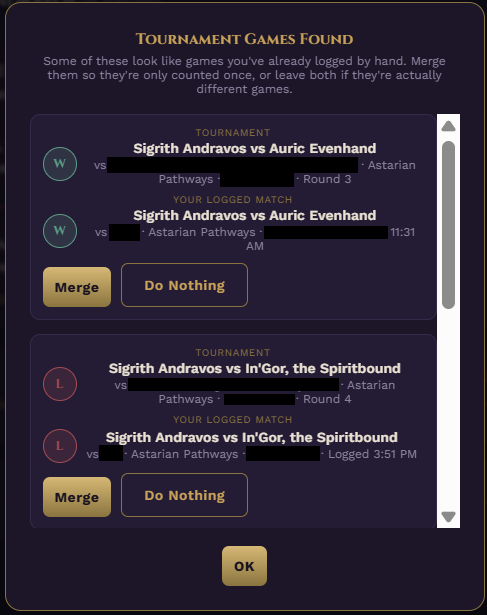
If you have logged tournament games manually or used the Live Game Tracker during a tournament those games will be identified and it will ask you if you would like to Merge them.
Merging the games does not delete them, it just won't double count them in your stats.
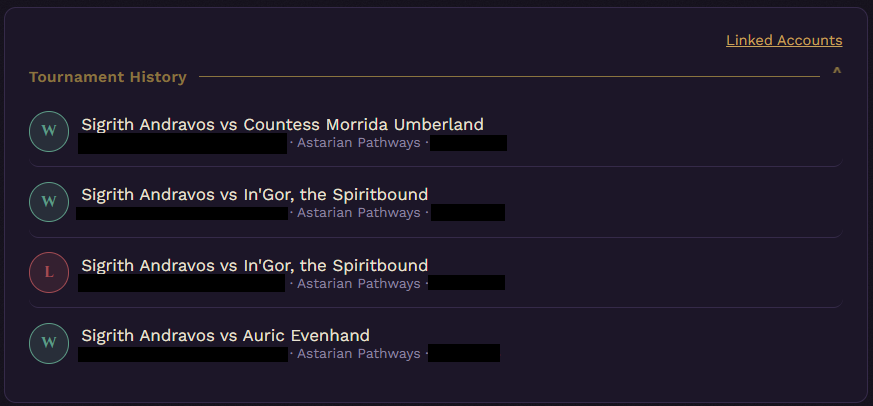
Head back to the Tracker page and open the Tournament History box, right above your regular Match History. This is where every tournament game tied to your linked username shows up.
Yes. If you already logged a game by hand and it also exists in your Tournament History, and you don't merge them, both entries stay, meaning that one real game will count twice in your stats.
The option is always available manually afterward too, from your Match History's own detail popup.
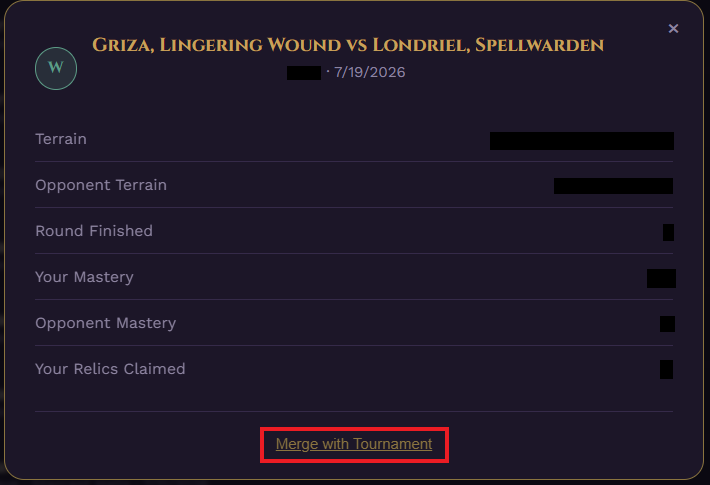
Only the personal match side, and it only hides it. When you merge, your personal match doesn't get deleted. It just stops showing up as its own separate entry in Match History.
Nothing about it is deleted, if you ever unlink your account, it reappears exactly as you logged it.
Your tournament data is never changed by merging, under any circumstance. Whatever was uploaded from the actual tournament stays exactly as recorded. Merging or unlinking never edits that.
The automatic prompt only ever suggests a pairing when the date, the result (win/loss), and both Seekers match exactly. If any of those differ, it won't suggest anything.
That said, you can always merge manually, in case the suggested game is incorrect or it did not find the correctly logged game.
Open the match in Match History and look for the Merge with Tournament button. If you pick a candidate that doesn't quite match (different result or Seeker, for instance), you'll get a warning before it goes through, so you can back out if it's not actually the same game.
Nothing to do, it just shows up in your Tournament History and counts toward your stats normally. Merging is only relevant for games you have already logged by hand before or after linking.
Yes, any time, from your Player Profile page. Unlinking cleanly reverses everything.
Any matches you have merged reappear in your Match History exactly as they were, and your tournament games stop counting toward your stats. If you relink later, everything gets checked again from scratch.
If you want to lock down your linked account so nobody else can link that same username, you can request verification from your Player Profile page. It's reviewed by an admin, and once approved, that username can never be linked by anyone else other than you.
Yes. As more platforms get added, you'll be able to link each one separately, and all of them will feed into the same combined Tournament History and stats.
If you run into any issues or have any concerns about a match result feel free to reach out through the Contact page or send a message on Discord.
Every new release reshapes the battlefield and challenges what was once accepted as truth. The Archive must preserve both the old lessons and the new.
These findings are hereby entered into the Grand Archive.